
Setup guide
Microsoft Teams.
Connect your Just Arrived ecosystem to Teams to streamline visitor notifications, employee check-ins, and workspace management through a single interface.
- Complexity
- Simple
- Time
- 5 minutes
- For
- Admins
- Updated
- 23 September 2026
Set it up
Install the Teams app
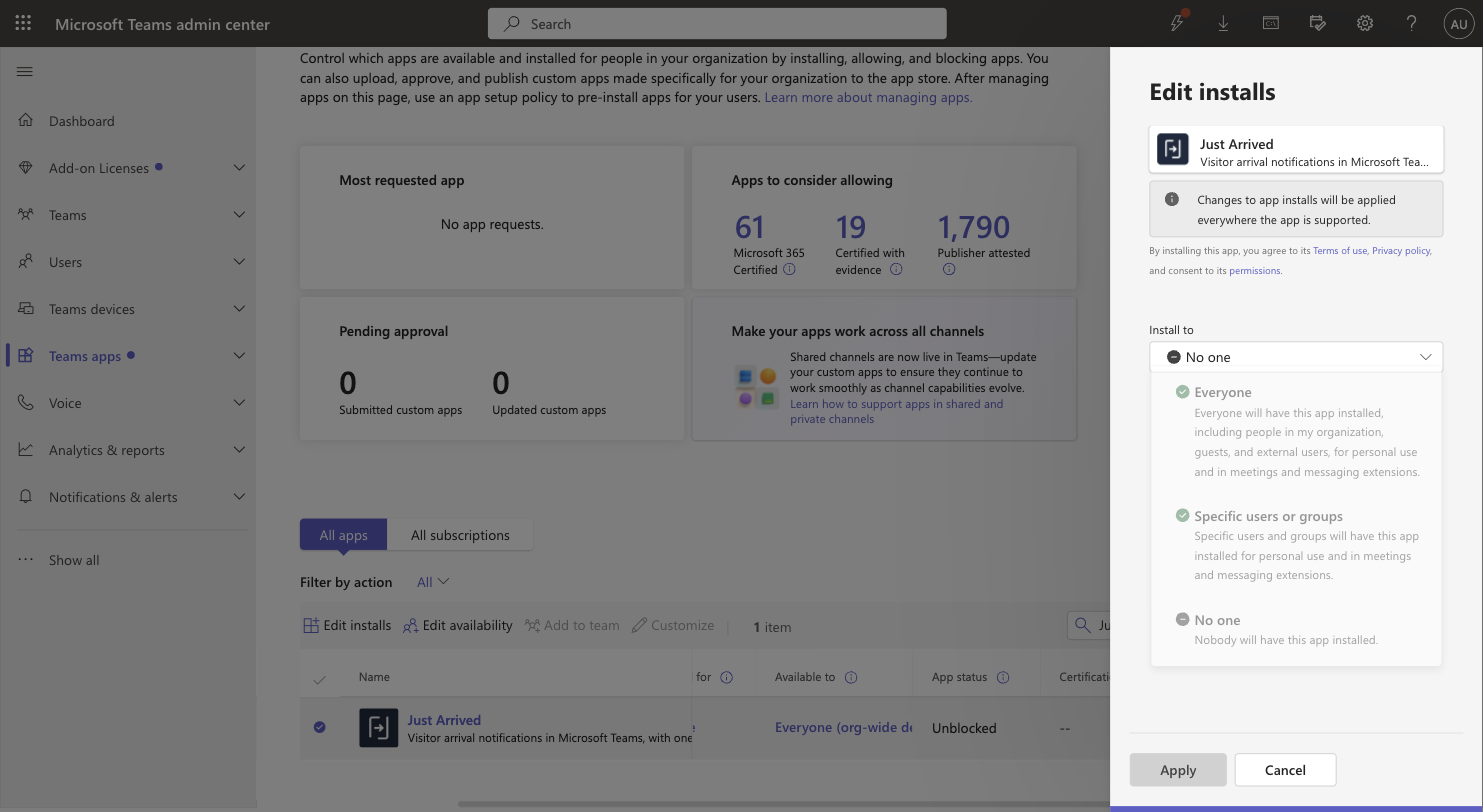
In Microsoft Teams open Apps, search for "Just Arrived" and click Add. To install it for everyone at once, a Microsoft 365 administrator opens the Teams admin center → Teams apps → Manage apps, selects Just Arrived, clicks Edit installs and chooses Everyone (or specific users or groups).Get the app first: Open the Just Arrived app in the Microsoft Teams store, then come back and follow the steps below.Installing for everyone is the zero-effort option — hosts never have to find the app themselves. Can't find Just Arrived in the app store? An administrator can allow it under Manage apps in the Teams admin center.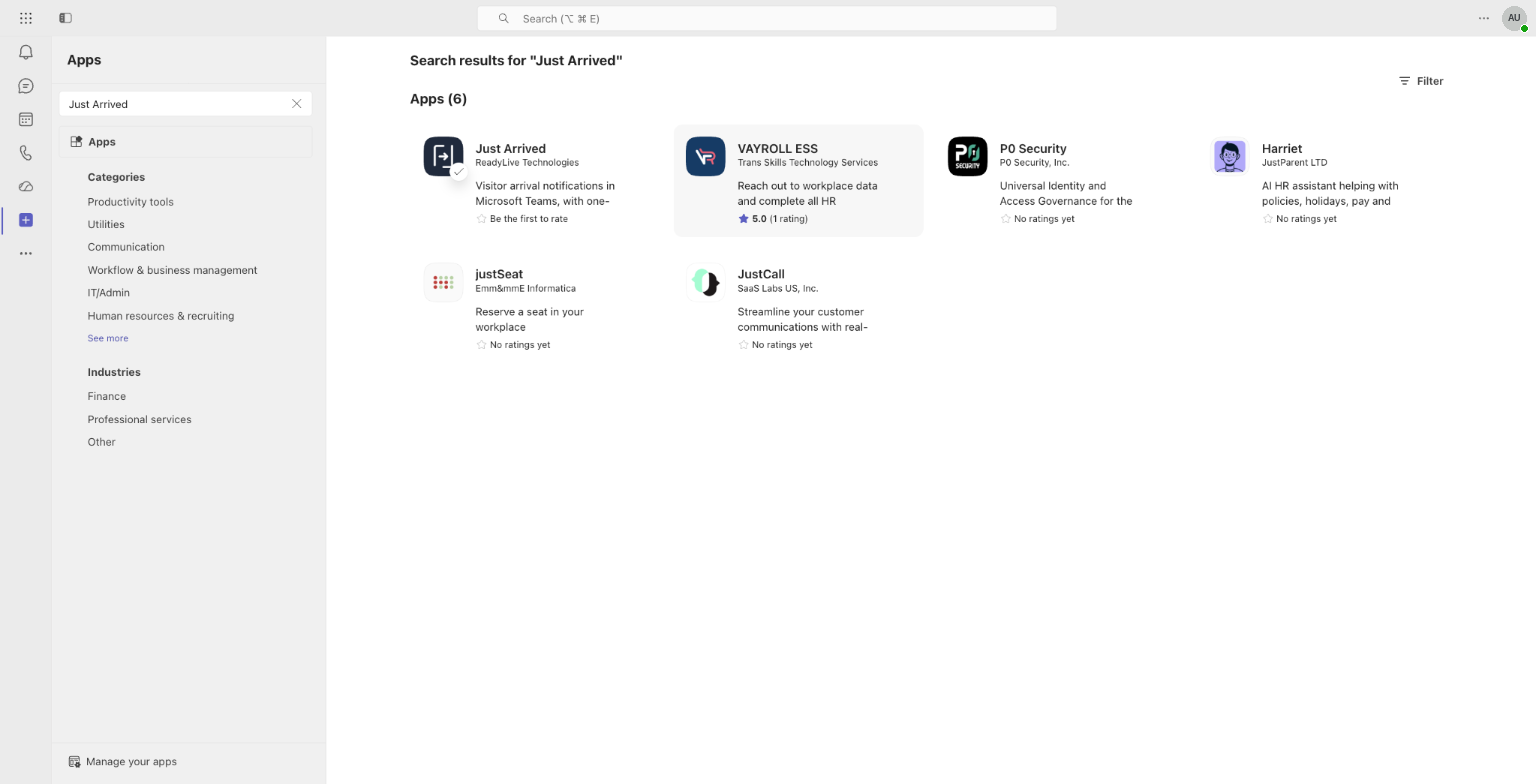
Open Just Arrived once
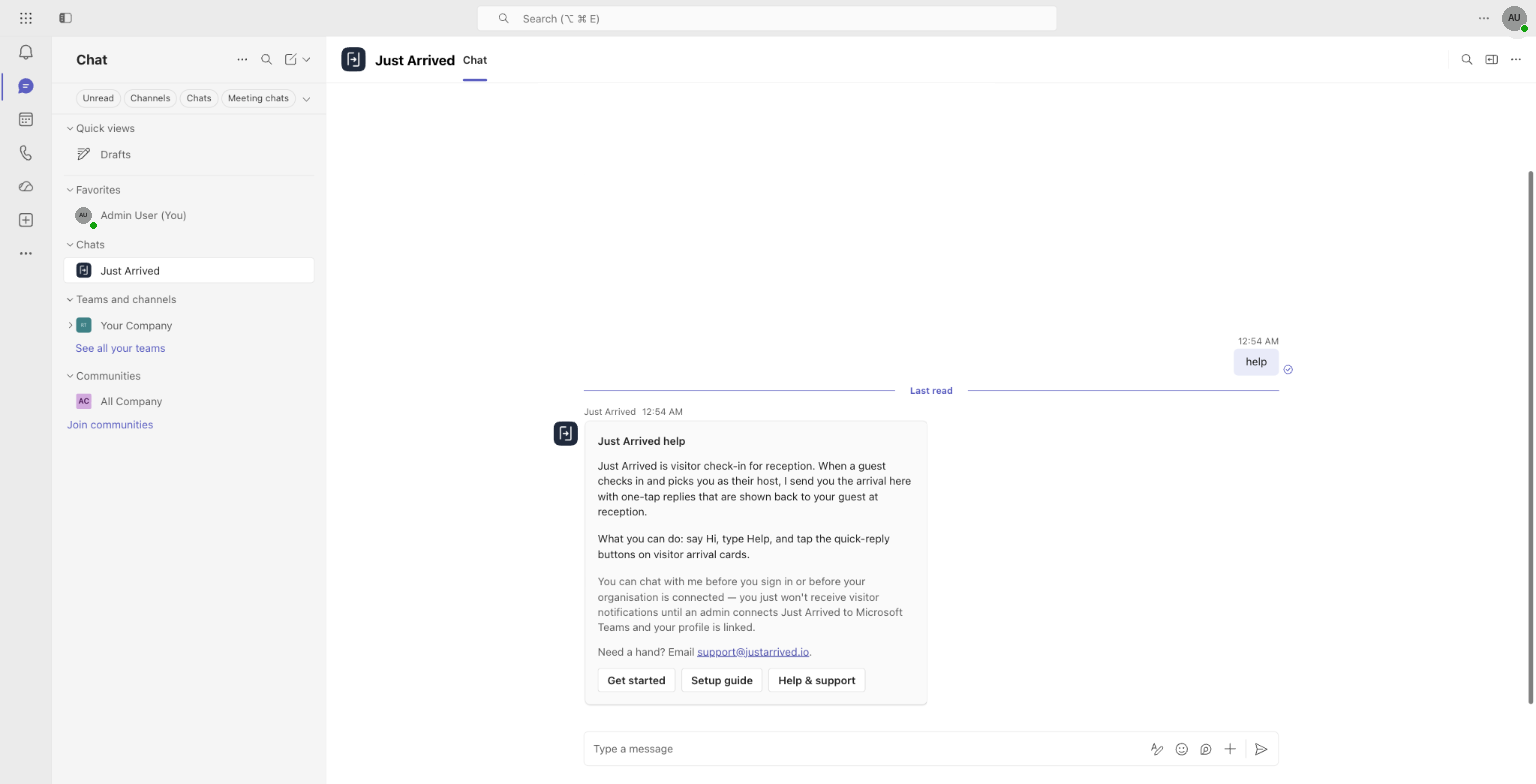
Click Open when Teams offers it (or open the Just Arrived chat from your chat list) and send "help". Just Arrived answers with a short help card, records the installation and matches your Microsoft account to your employee record by email or sign-in name.Opening the app once is what links a person: Teams tells Just Arrived which account is signed in. Ask each host to do this — or link them manually in step 3.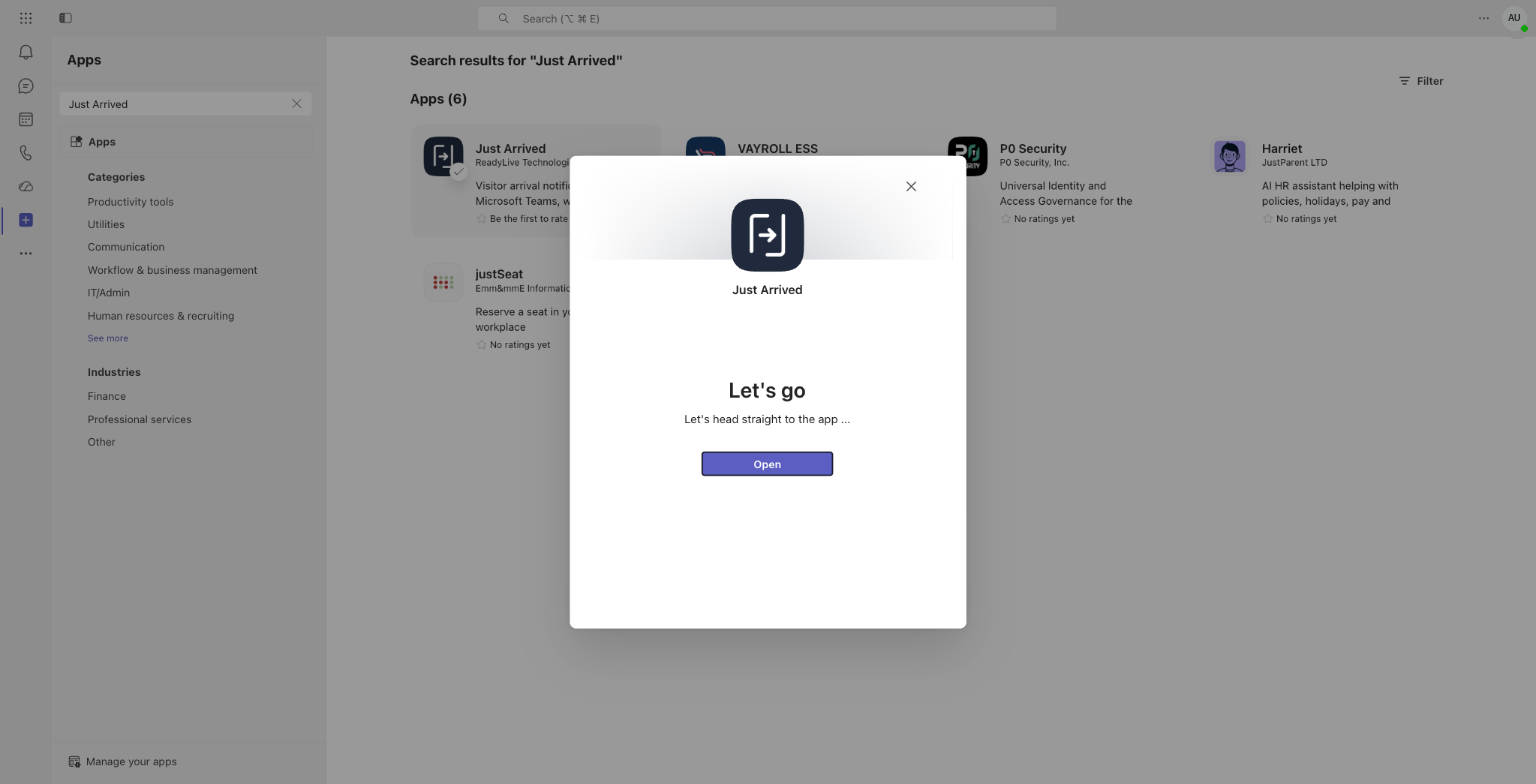
Check who is linked
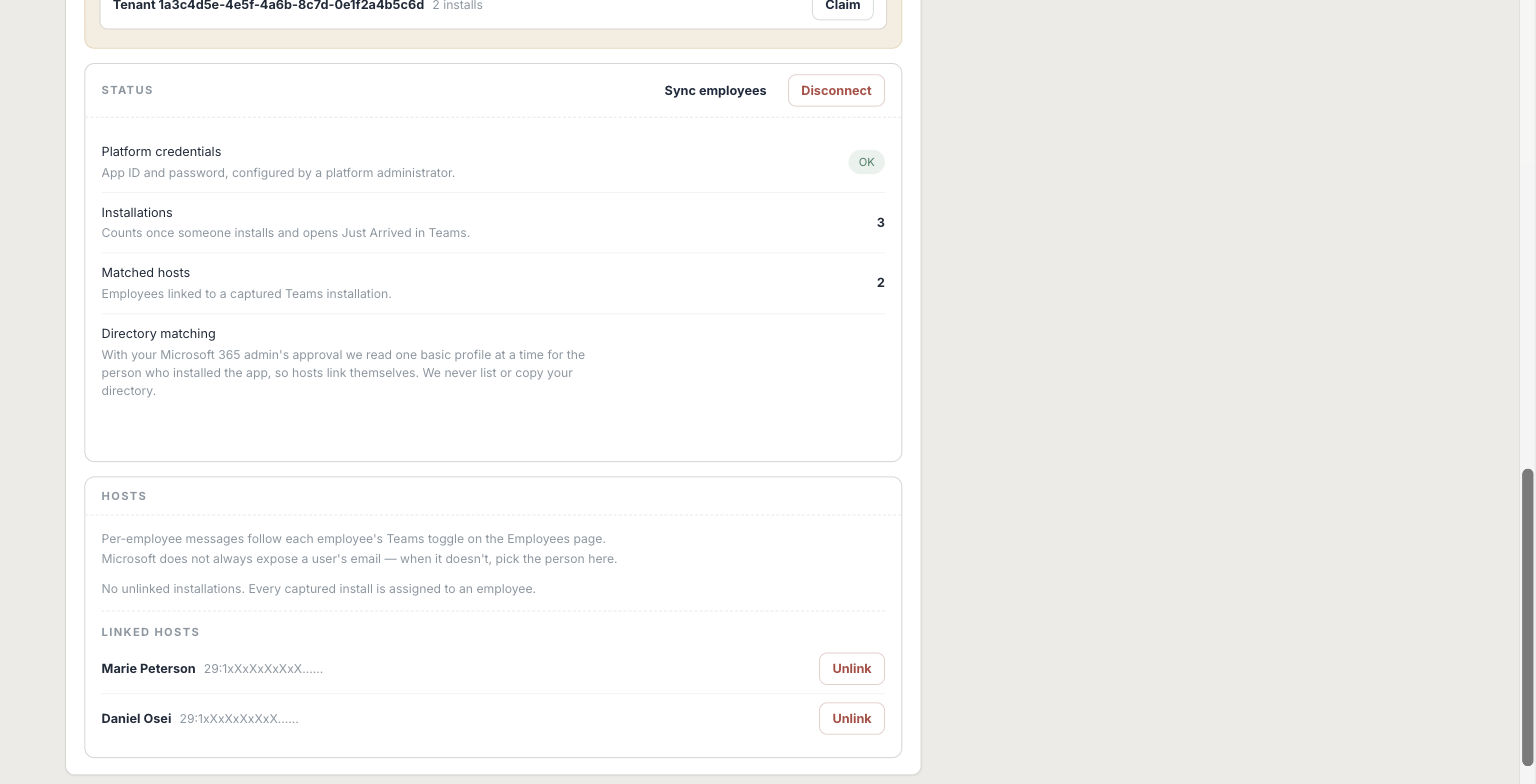
Back in the Just Arrived admin, open Connections and expand Microsoft Teams. If the card shows a workspace waiting to be claimed, click Claim — that binds your Microsoft 365 tenant to your organisation. Below, Status shows the installation count and Matched hosts, and the Hosts section lists who is linked.Matched hosts lists everyone whose Teams account was recognised. Anyone missing can be added under Hosts, or by correcting their employee email so it matches their Microsoft 365 account. Use Unlink if the wrong person was matched.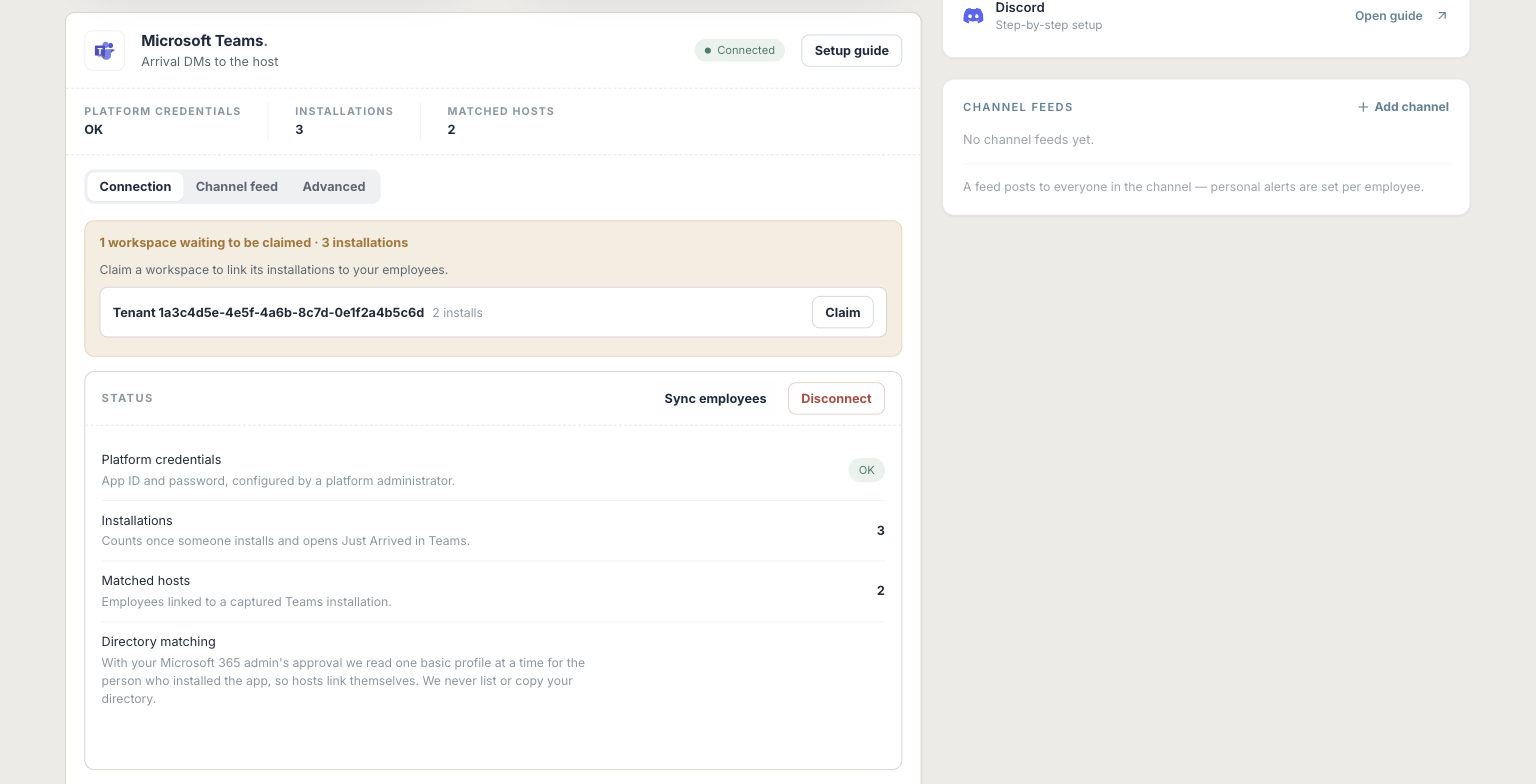
Enable Teams for hosts
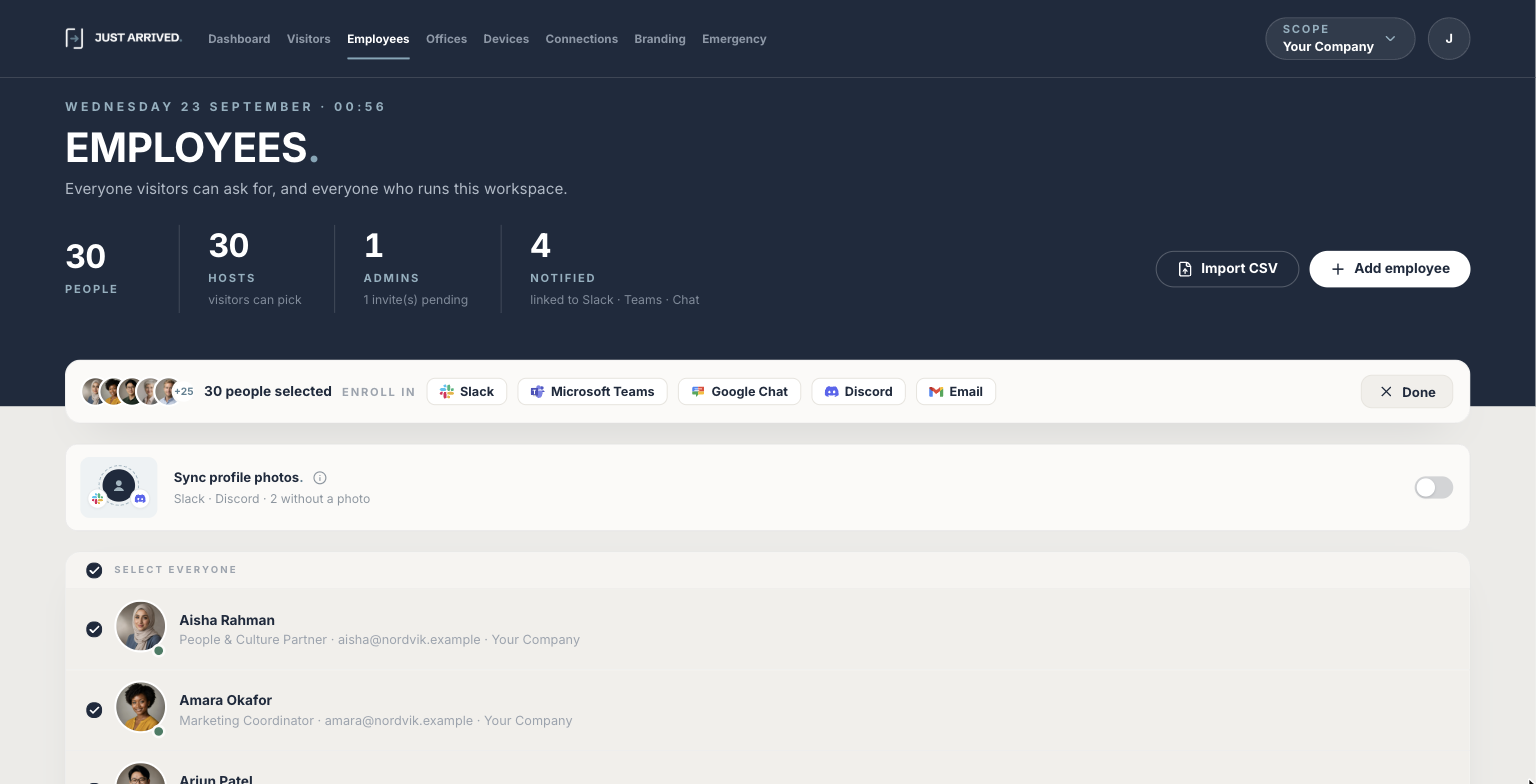
In the Just Arrived admin, open Employees. To enrol everyone at once, click Select, tick Select everyone and click Microsoft Teams in the Enroll in bar. To enrol one person, open them and switch Microsoft Teams on under Alerts.The Microsoft Teams switch is off by default on every employee, so linking alone does not send messages.Enrol everyone in one go: Select → Select everyone → Microsoft Teams. You can also tick just the people you want before clicking the channel.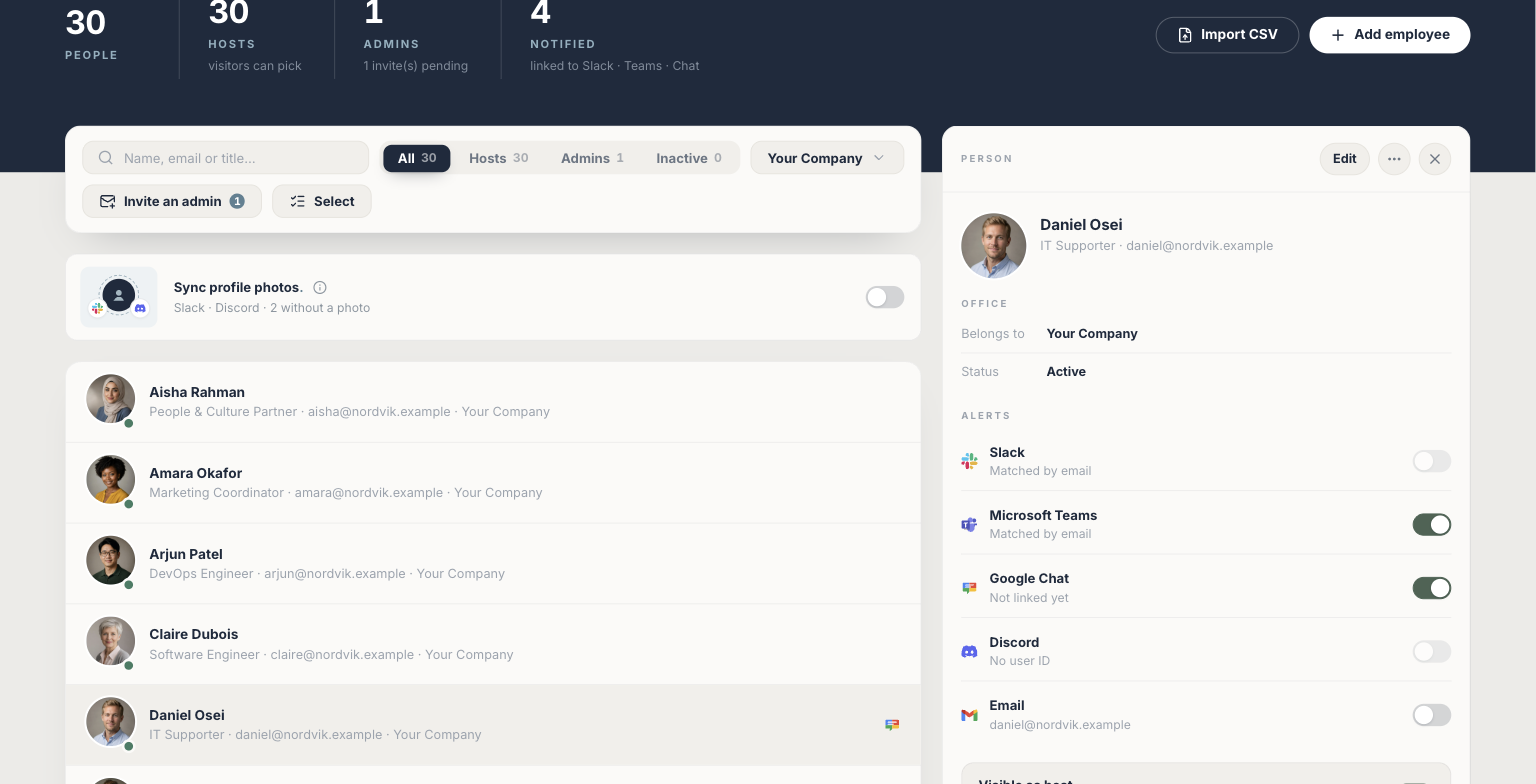
Run a test check-in
Use a Just Arrived kiosk to check in a test visitor and select yourself as the host. The arrival card arrives in the Just Arrived chat in Teams within a few seconds; tap a quick reply and confirm that it appears on the kiosk.The card arrives as a 1:1 chat from Just Arrived. The reply the host taps appears on the kiosk within a few seconds and on the reception display, and is recorded on the visit in the visitor log.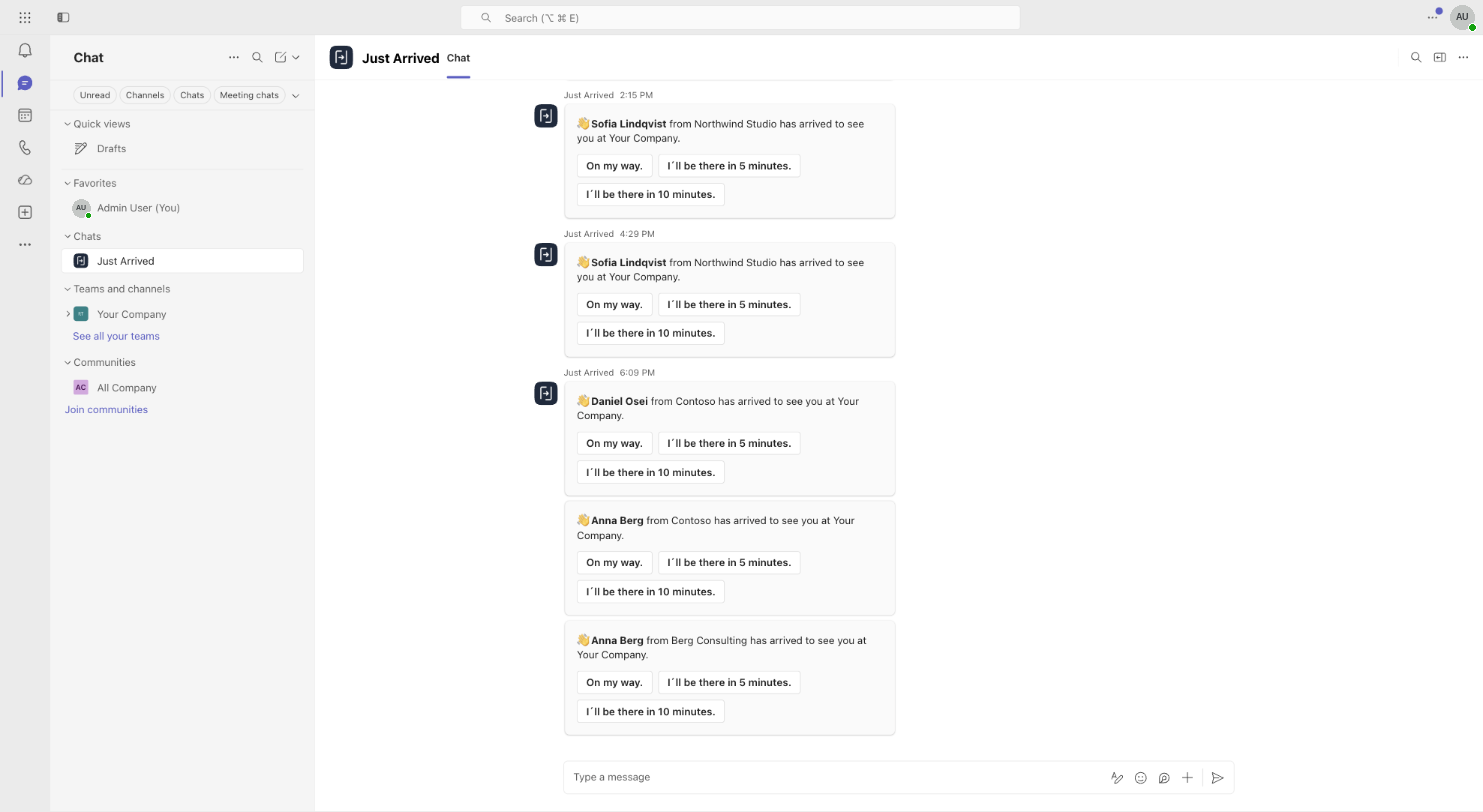
If something doesn’t work
Someone is not matched
Use Link people manually on the Microsoft Teams connection.
The app is unavailable
Ask a Microsoft 365 admin to allow or install Just Arrived for the relevant users.
Self-host Microsoft Teams.
Register your own Microsoft Teams bot and connect it securely to Just Arrived.
Set it up
Open the Teams Developer Portal
Go to dev.teams.microsoft.com and sign in as a Microsoft 365 administrator. In the left menu choose Tools, then open Bot management.The Developer Portal is Microsoft's own tool for registering bots — nothing is installed and nothing is charged. If it asks you to choose a tenant, pick the one your hosts use for Teams.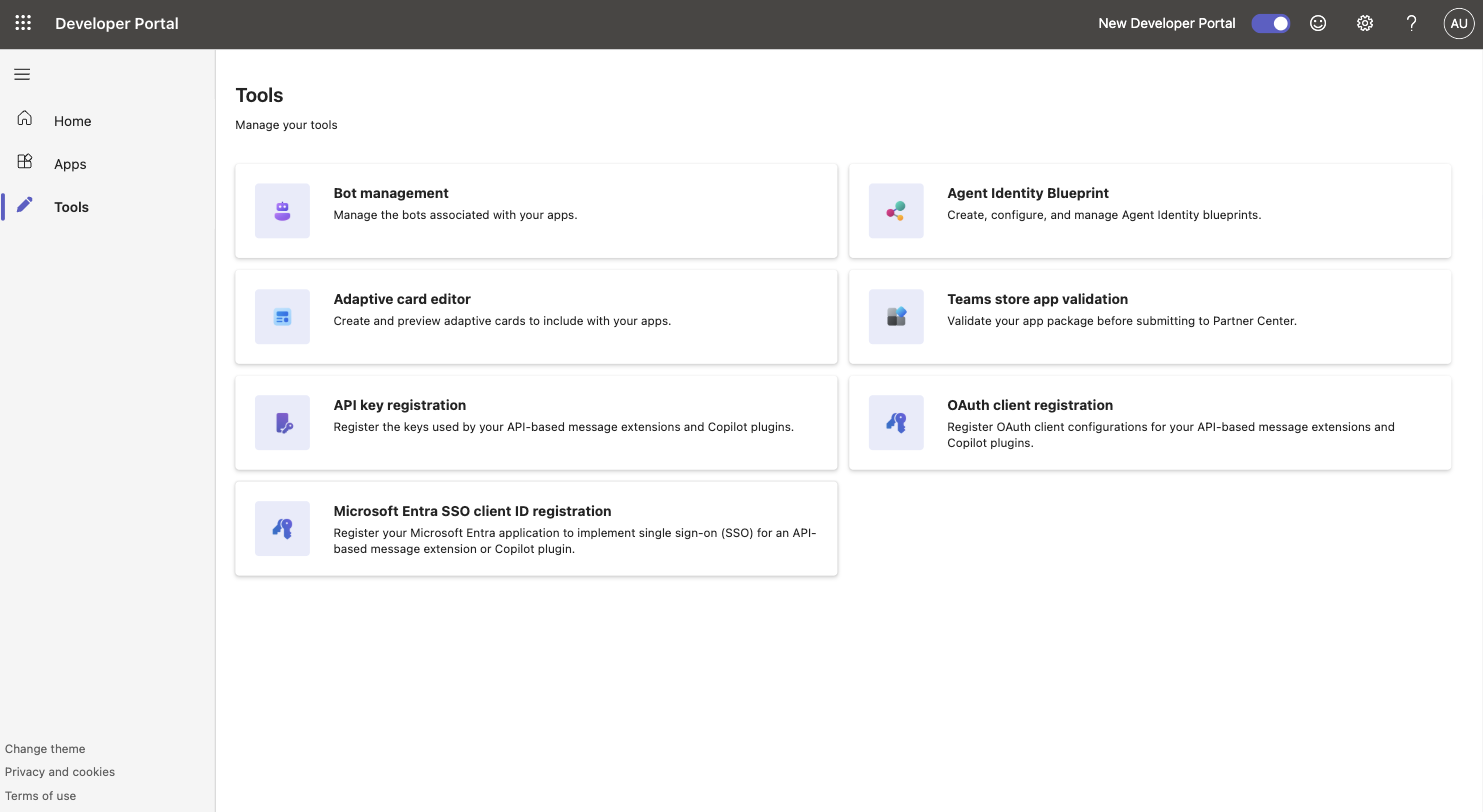
Create a new bot
Click New bot, give it a name and click Create bot. The pictures use "Just Arrived - Your Company"; the name is only visible to administrators, not to hosts.Creating the bot also creates an app registration in Microsoft Entra with the same name. That is expected — it is what holds the client secret in step 4.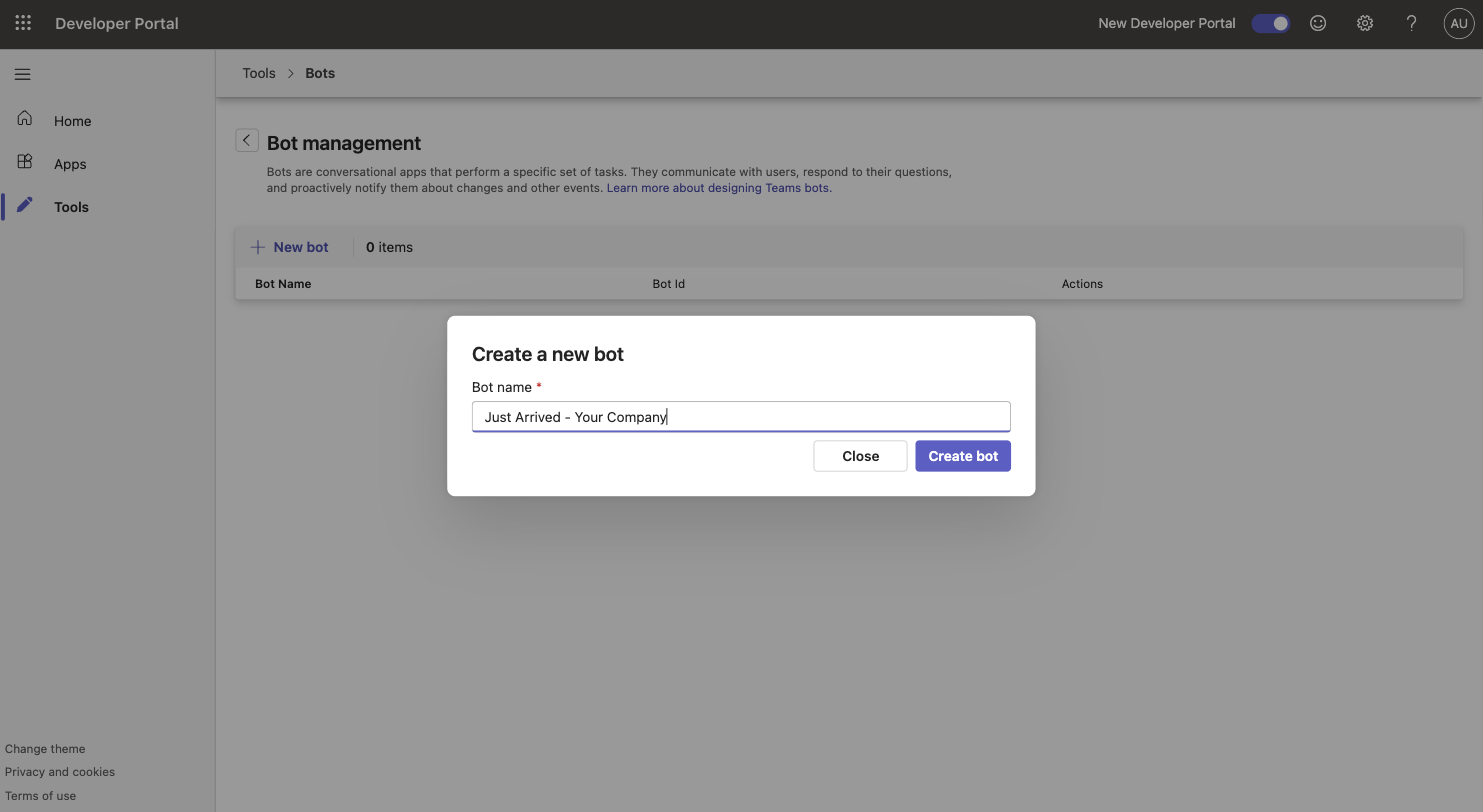
Set the messaging endpoint
On the bot's Configure page, enter exactly https://justarrived.io/api/public/teams/messages as the Endpoint address and click Save. This is where Teams delivers messages and button taps for your organisation.The endpoint is the same for every organisation — Just Arrived tells your bot apart by the Bot ID and tenant ID you save in step 7.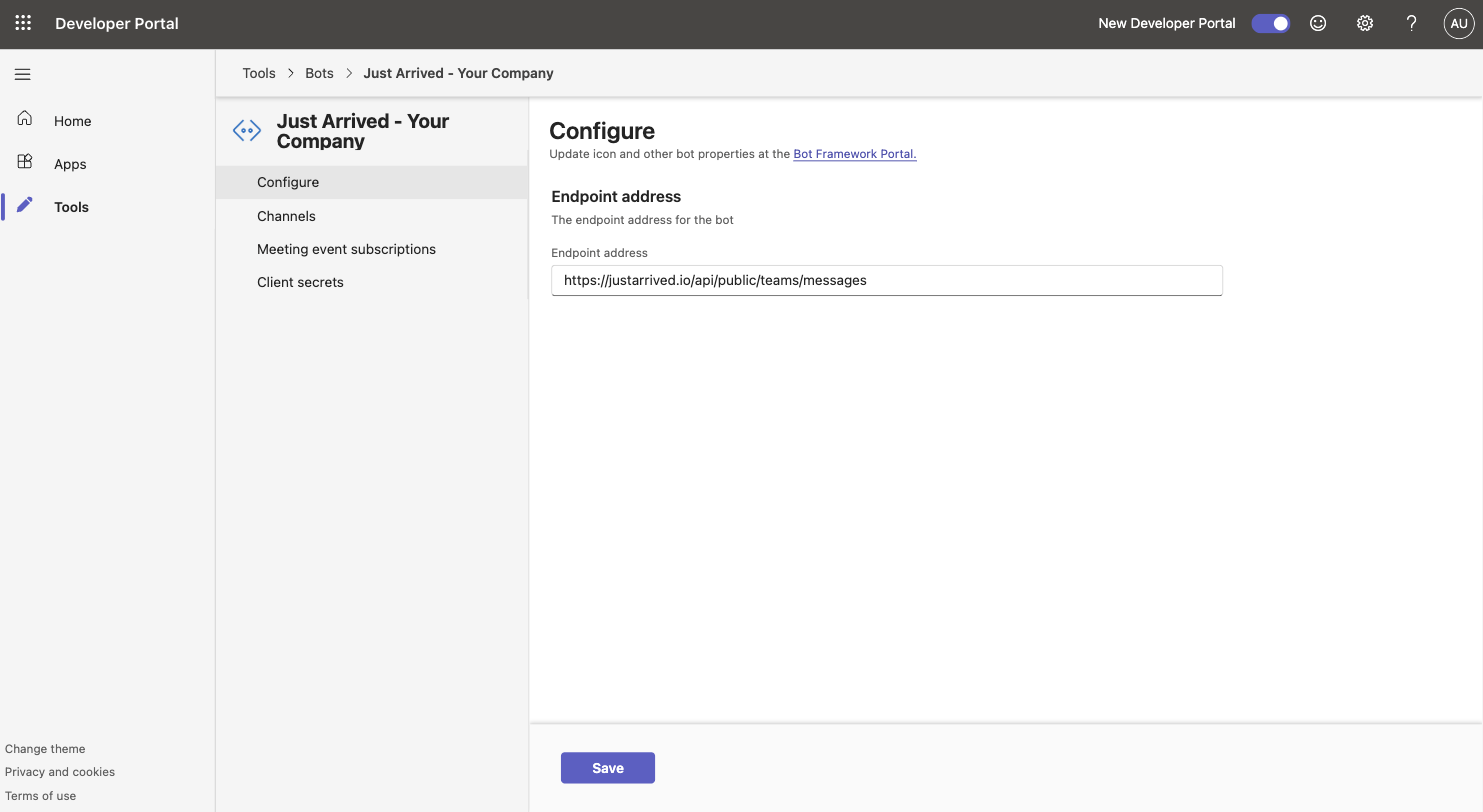
Create a client secret
Open Client secrets in the left menu of the bot and click New client secret (or Create your first client secret). Copy the secret value straight away and keep the expiry date that is shown in the list — you will enter both in step 7.Microsoft shows the secret value only once. If you lose it, create a new secret and delete the old one — nothing else needs to change.Secrets expire (two years by default). Just Arrived asks for the date so it can warn you before the bot stops working; when the time comes, create a new secret and save it in step 7 again.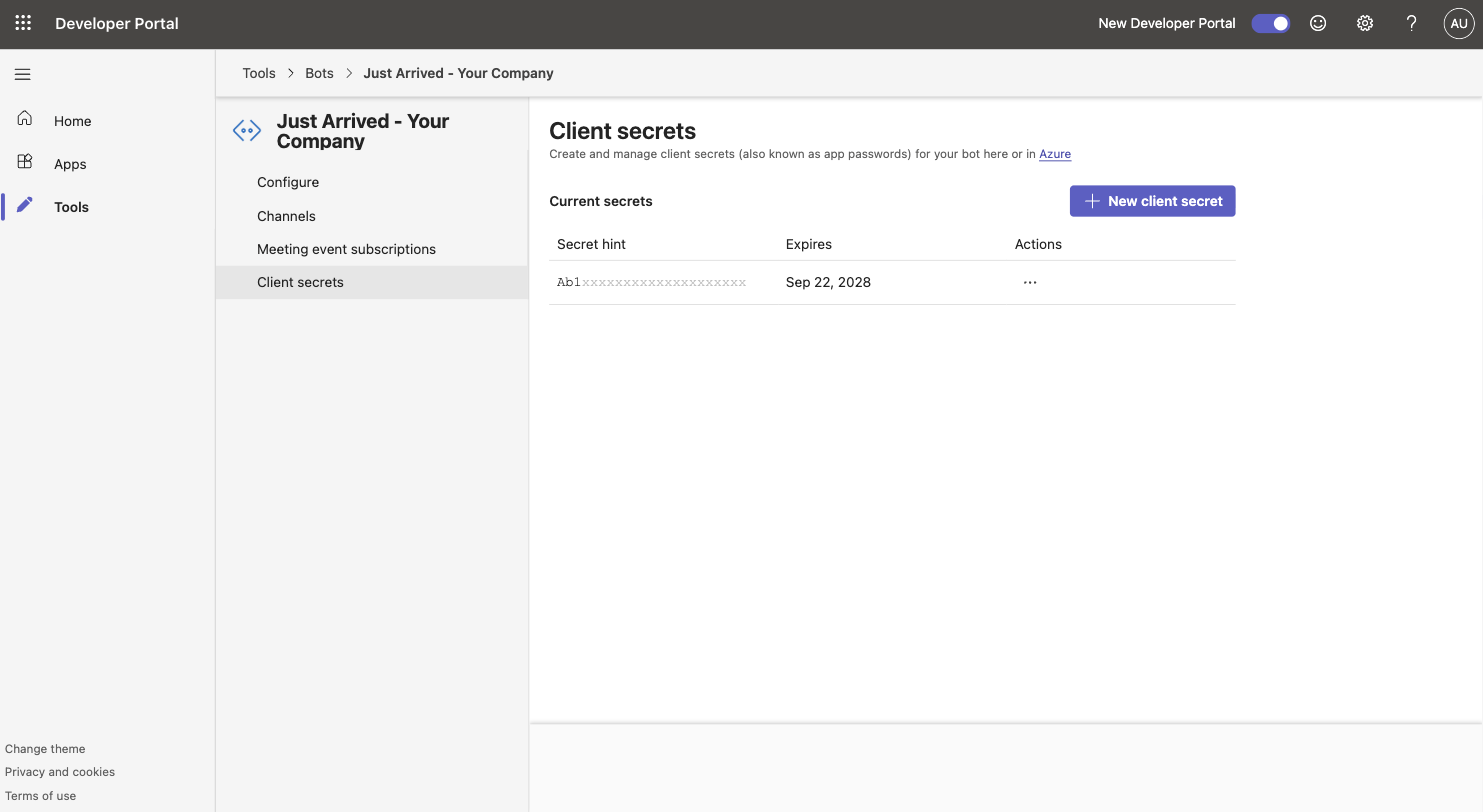
Note the Bot ID
Go back to Tools → Bot management. The Bot Id column shows a long identifier for your bot — copy it. This is the first of the two IDs Just Arrived needs.The Bot ID is public information, not a secret — it identifies the bot the same way an email address identifies a person.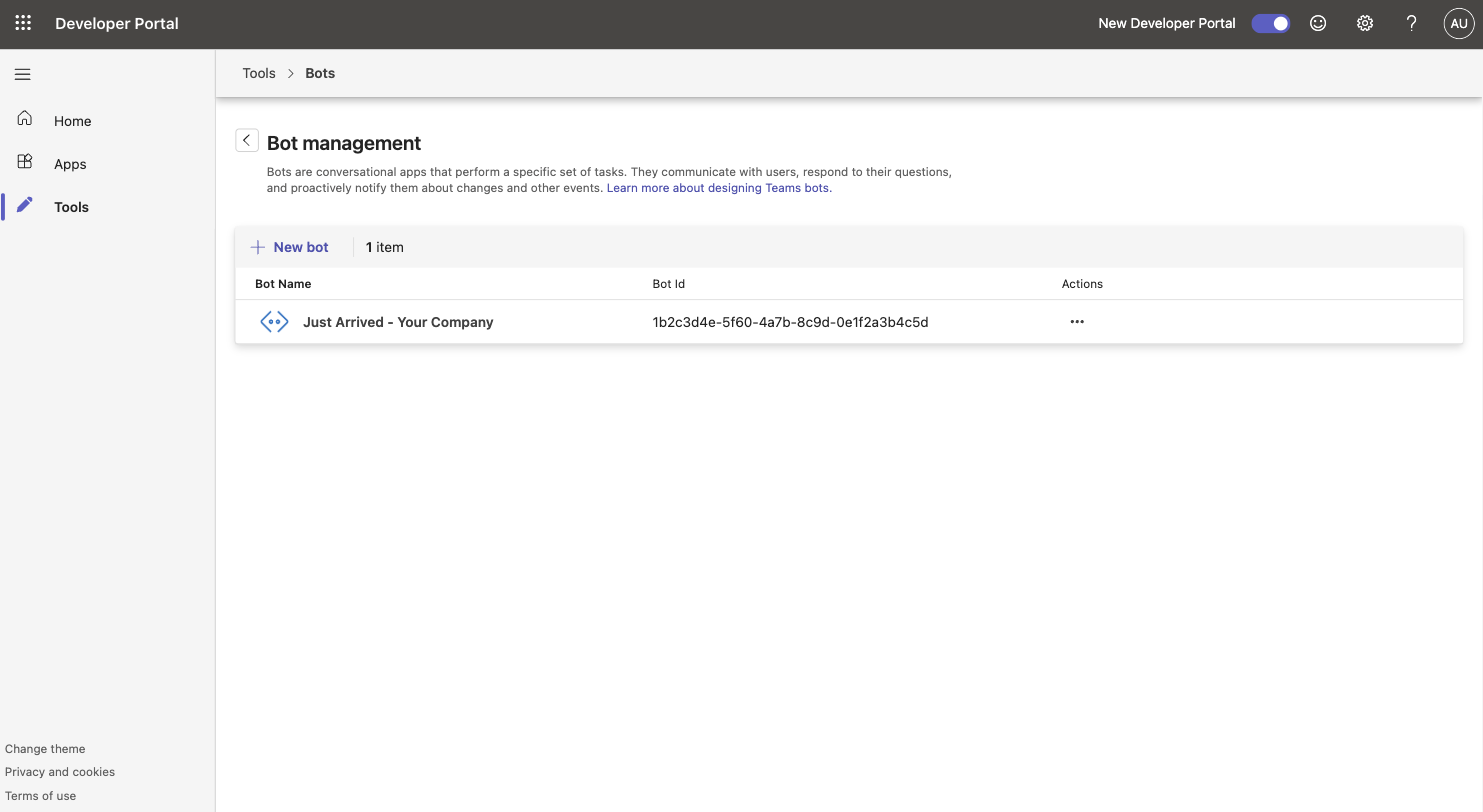
Find your Microsoft Entra tenant ID
Open entra.microsoft.com and choose Overview under Entra ID. Under Basic information copy the Tenant ID. This is the second ID Just Arrived needs.The tenant ID identifies your Microsoft 365 organisation. It is the same for every app and user in your company, so IT will often have it to hand already.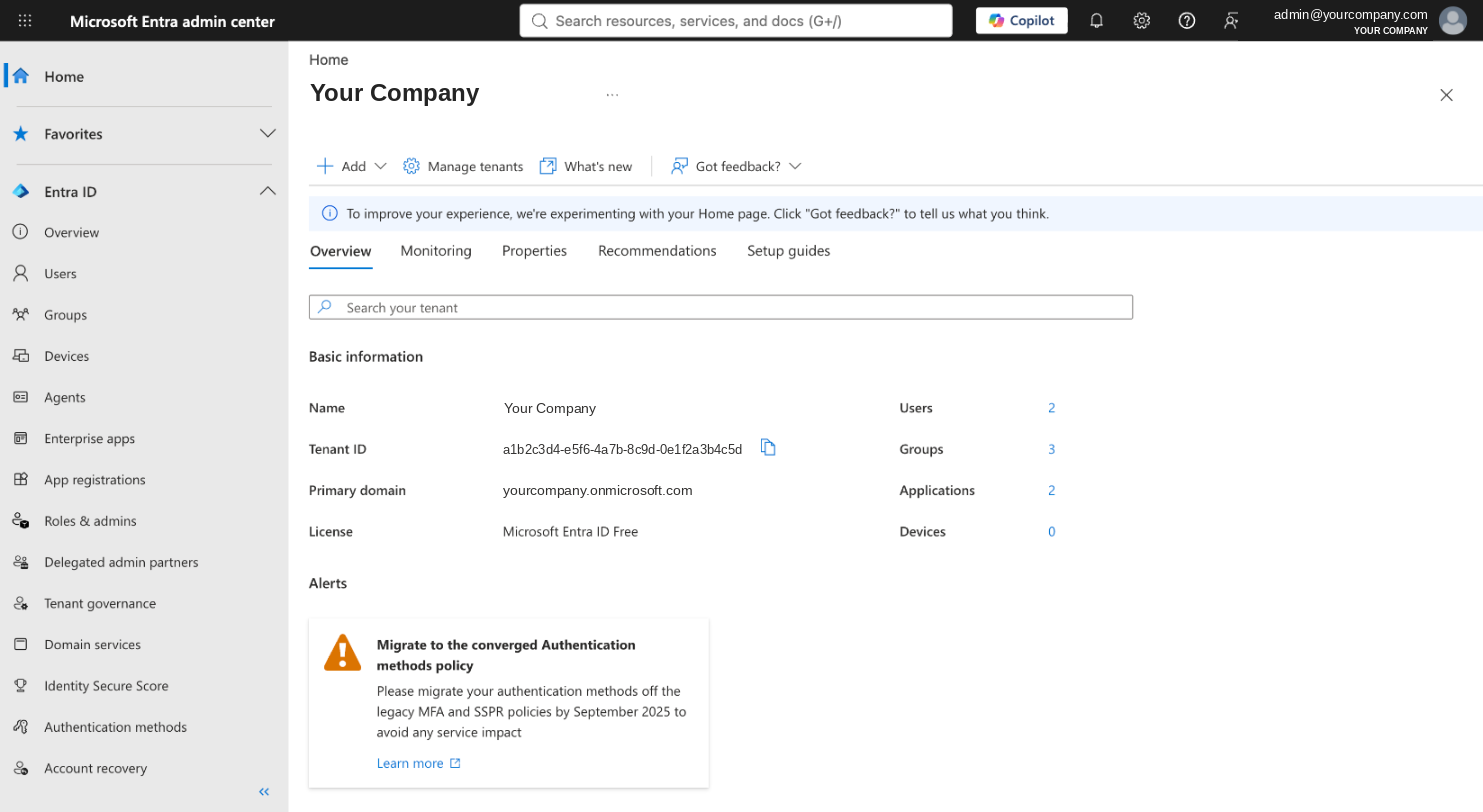
Enter the credentials in Just Arrived
In Just Arrived open Connections → Microsoft Teams and choose the Advanced tab. Paste the Bot ID (step 5), the Microsoft Entra tenant ID (step 6), the client secret value and its expiry date (step 4), then click Save credentials.The secret is encrypted when saved and is never shown again — Just Arrived only reports whether it works. If it is wrong, paste a new one and save again.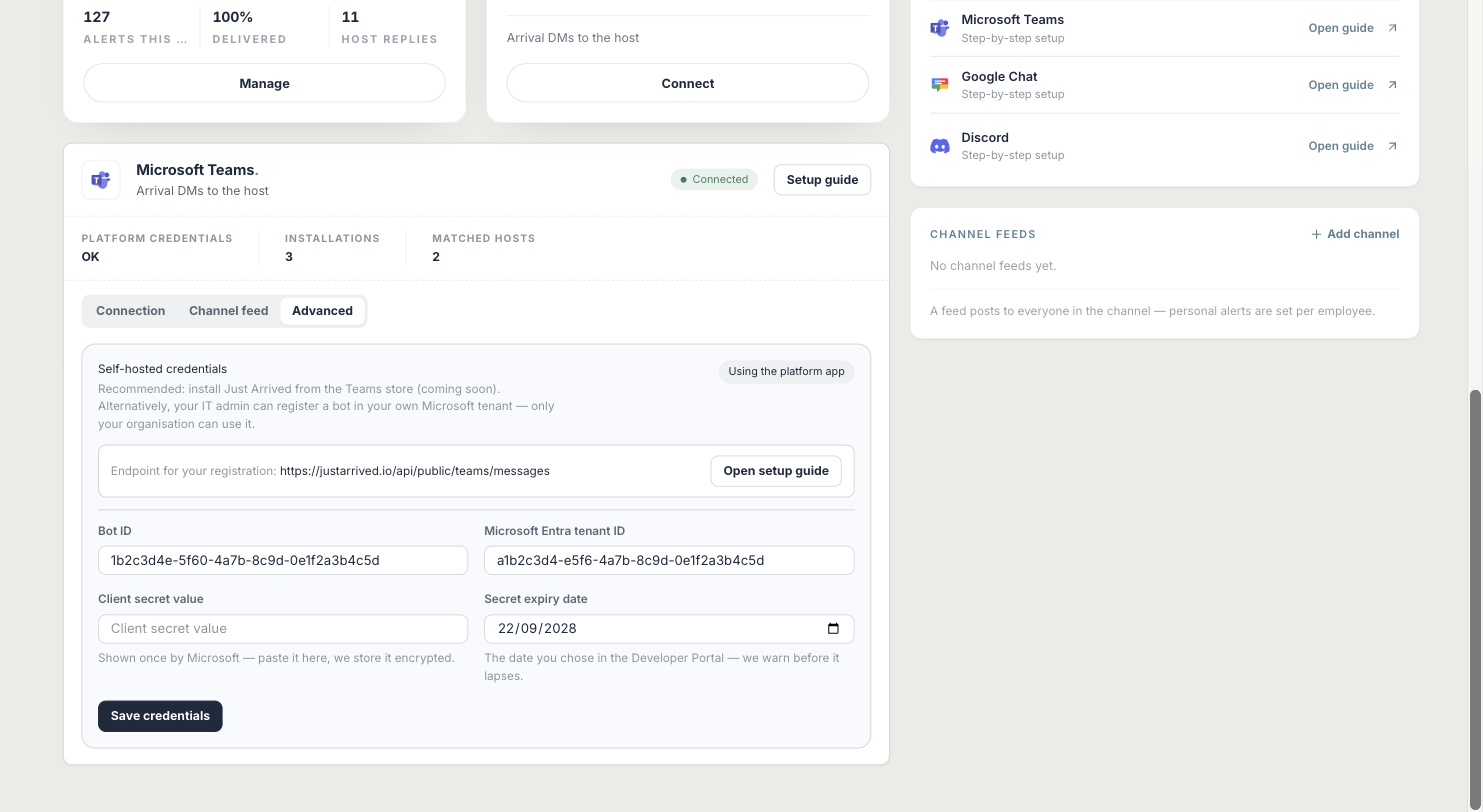
Download the app package
Use the button below to download the Teams app package. It is a small zip file built for the Bot ID you just saved — it tells Teams which bot to talk to and how Just Arrived should appear.The package is built from the credentials saved in step 7, so save them first. Do not edit the files inside the zip.Upload the package in the Teams admin center
Open admin.teams.microsoft.com, choose Teams apps → Manage apps, click Actions (top right) → Upload new app, and select the zip file. After a moment "Just Arrived" appears in the app list with Publisher Your Company.Upload new app greyed out? Custom app uploads are turned off for your organisation. Turn them on under Actions → Org-wide app settings → Custom apps, then try again.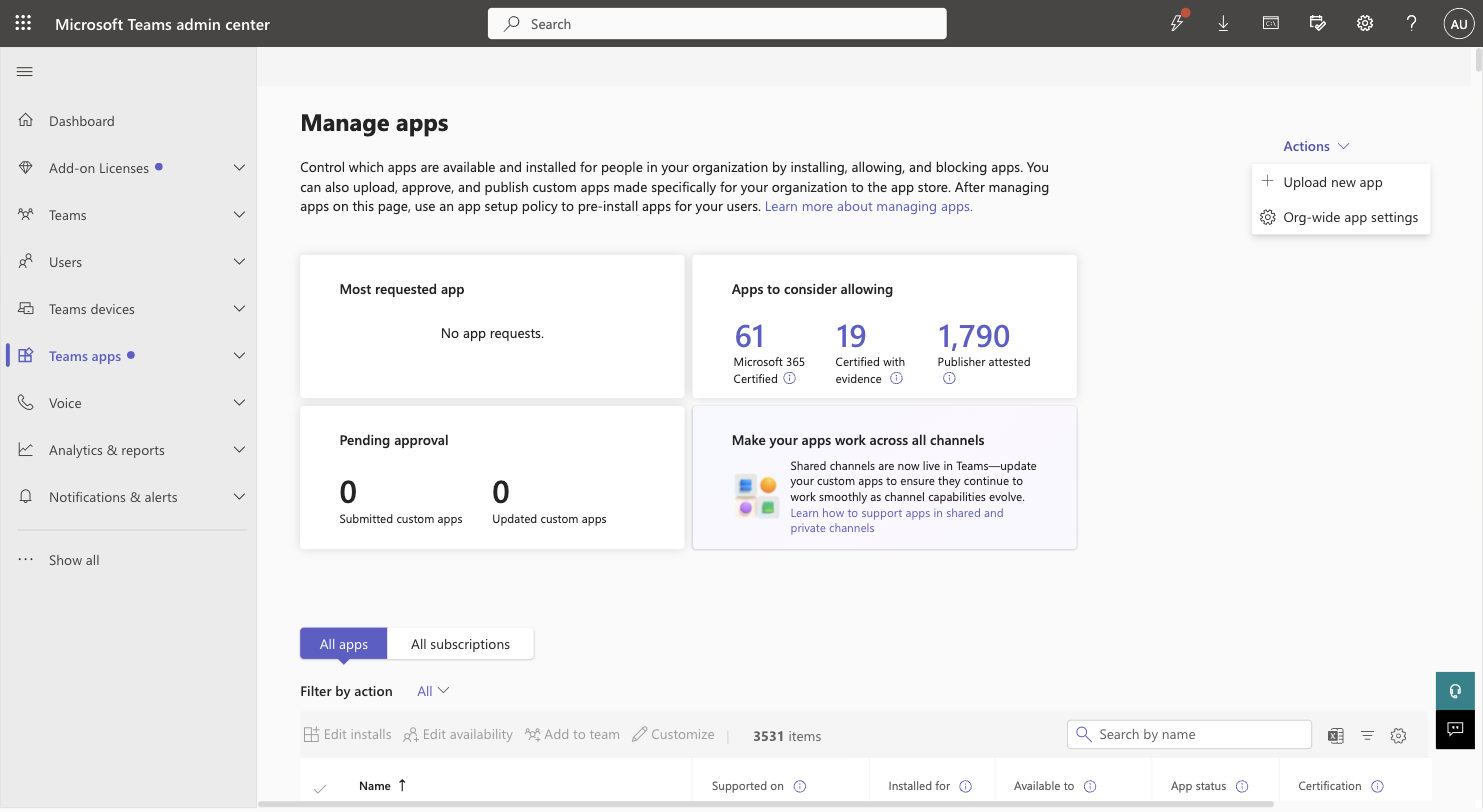
Install it for your hosts
Still under Manage apps, search for Just Arrived, tick the row and click Edit installs. Under Install to choose Everyone, or Specific users or groups and pick the people who receive visitors, then click Apply. The app appears in their Teams within a few hours (usually much faster).Installing for everyone is the zero-effort option: hosts never have to find or add the app themselves. Anyone who is not installed can still add it from Apps in Teams if custom apps are allowed.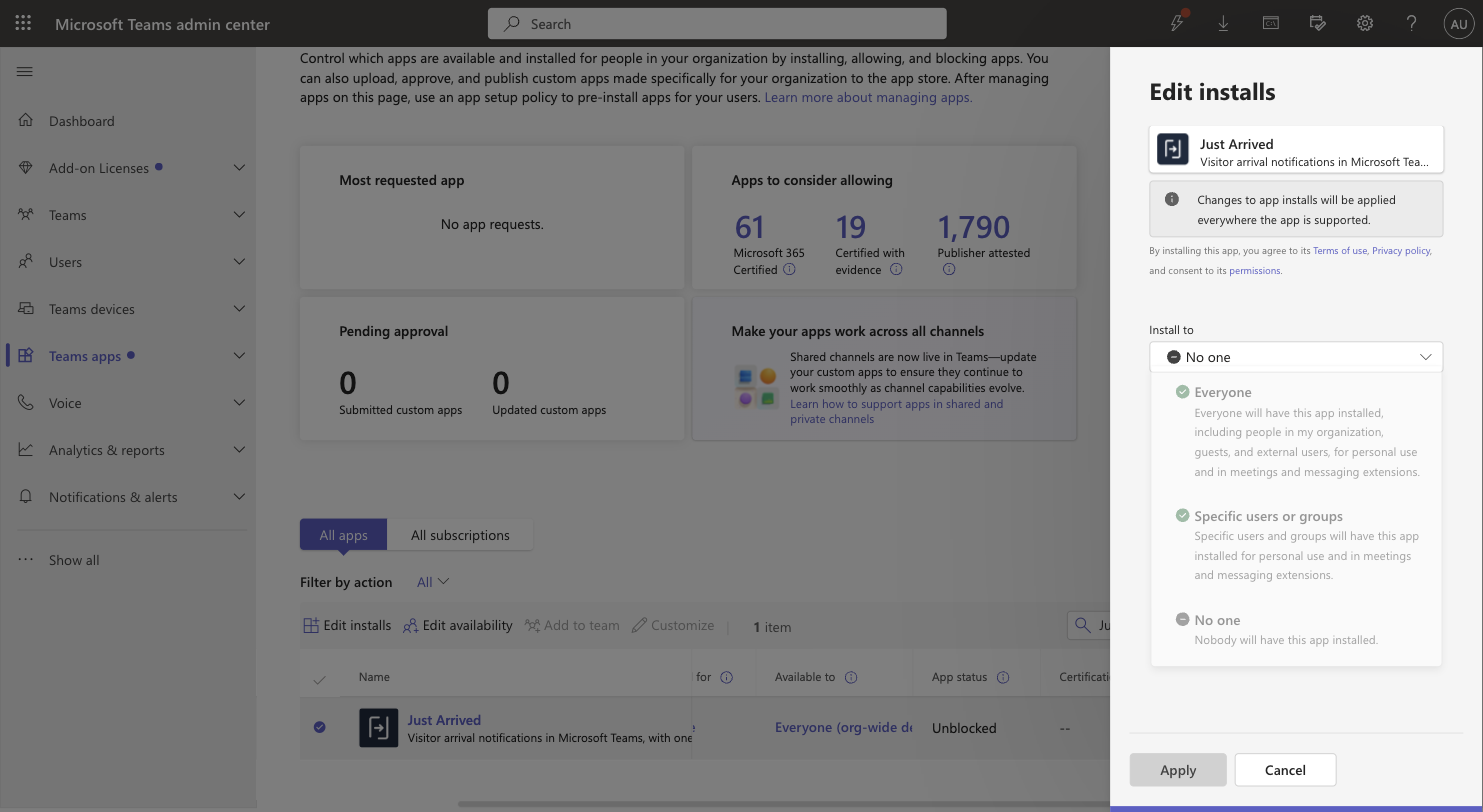
Open the app once and test an arrival
In Teams, open the Just Arrived chat and send "help". The bot answers and links your Microsoft account to your employee record by email; the Connections page in Just Arrived updates to show the installation. Ask each host to do the same, or use Link people manually. Then check in a test visitor on a kiosk with yourself as host: the arrival card arrives in Teams within a few seconds, and the reply you tap is shown on the kiosk.Hosts must have Microsoft Teams switched on in Employees to receive cards — a host linked by saying help is switched on automatically. To enrol everyone at once: Employees → Select → Select everyone → Microsoft Teams. The reply buttons are the Host quick replies set under Offices.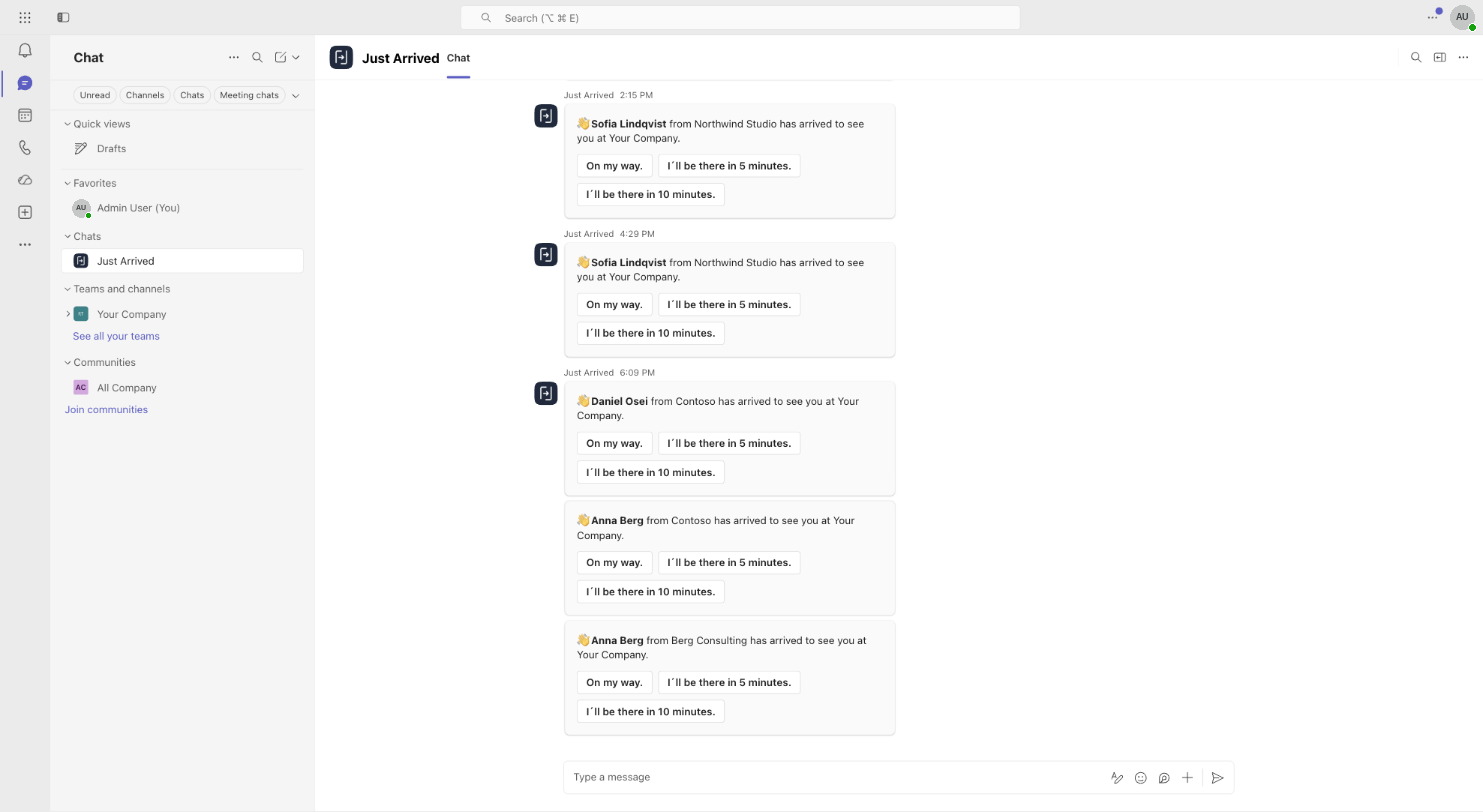
If something doesn’t work
Save credentials fails or shows an error
Check that the Bot ID (step 5) and tenant ID (step 6) are both 36-character IDs from the same tenant, and that the secret value — not the secret hint or ID — was pasted.
The bot does not answer help
The messaging endpoint (step 3) is missing or misspelled, or the client secret has expired. Fix it in the Developer Portal; no reinstall is needed.
Upload new app is greyed out
Turn on custom app uploads under Manage apps → Actions → Org-wide app settings → Custom apps.
Someone is not matched
Use Link people manually on the Microsoft Teams connection, or correct their employee email so it matches their Microsoft 365 account.
The app is unavailable to a host
Add them under Manage apps → Just Arrived → Edit installs, or ask them to add the app from Apps in Teams.